


Square Point of Sale: Payment
4.654.55K Reviews
App Specs
- Version
- 7.27.1
- Updated On
- License
- Free
- Downloads
- 10,000,000+
- Developer
- Block, Inc.
- Categories
- Business
- Platform
- Android, iOS
Screenshots
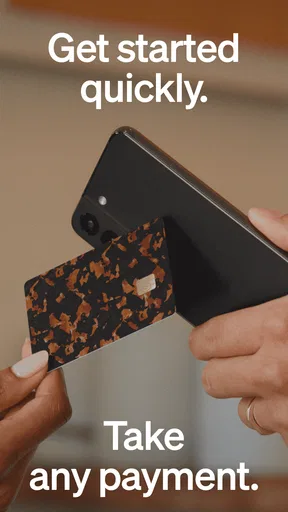
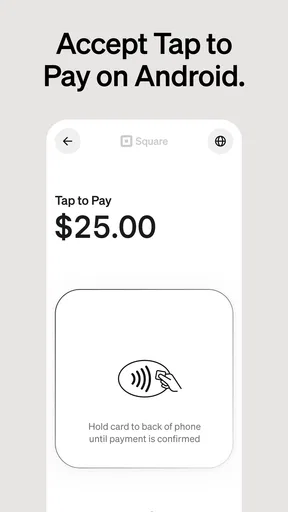
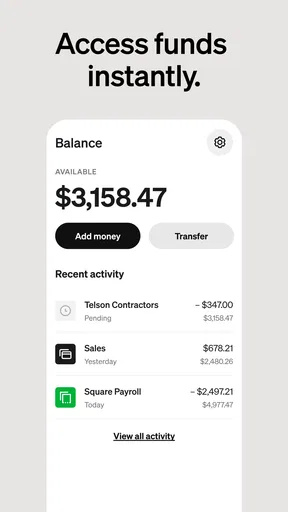
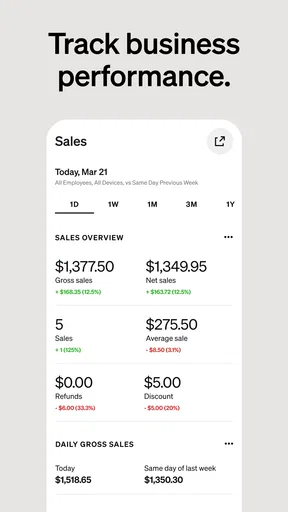

 Analysis by AppCompare
In a small business, a payment app is only useful when it fits the pace of the work around it. A checkout can happen at a counter, beside a customer’s table, or while you’re moving between appointments, and each setting puts different demands on your phone and connection. I see Square Point of Sale: Payment as most appealing when you want sales and everyday business tasks close at hand, rather than split across several tools. Its usefulness depends not just on the screen, but on how well your setup suits the way you actually serve people.
When a steady connection matters
Payments are the moment when network conditions become most noticeable. A quick, predictable checkout helps keep a queue moving; a slow or interrupted connection can leave you unsure whether a transaction has completed. I’d test the app in the same places you plan to use it, including any corner of a shop or work area where reception tends to be weak. That practical check is more useful than assuming a phone will behave the same everywhere.
Connectivity also affects the broader rhythm of a business day. If you update products, review sales, or check customer information between transactions, a reliable connection makes those tasks easier to fit into short gaps. I wouldn’t plan a busy service around the idea that every screen will be available regardless of network conditions. For a location with unstable internet, I’d first confirm that the workflow you rely on is suitable there, and keep a backup way to take payment ready.
Designed for movement, with a few setup decisions
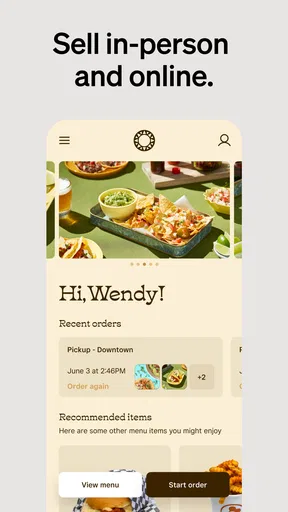
The mobile format makes sense for businesses that don’t want every sale tied to a fixed desk. A market seller can ring up a purchase at the stall, while a stylist can keep the checkout close to the appointment rather than sending a customer elsewhere. Restaurants and retailers may also value having sales tools within reach of the work itself. The benefit is less about novelty and more about avoiding unnecessary trips between the customer and a central terminal.
Before a busy day, I’d spend a little time making the product list and the checkout flow match the real business. Use clear item names, group products in a way that reflects how you sell, and remove choices you rarely need from the everyday path if the app allows that arrangement. These small decisions matter on a phone: a tidy catalog can make repeat transactions feel calm, while a cluttered one turns every sale into a search. It’s a useful reminder that setup quality shapes the experience as much as the interface does.
What to do when a transaction feels uncertain
Any payment workflow needs a sensible response to interruptions. If a screen stalls or a connection drops at the wrong time, pause before trying the same charge again. First work out whether the original attempt was completed; otherwise, a well-meant second tap could create confusion for both you and the customer. I’d make that check part of staff training, alongside a simple explanation to the customer that you’re confirming the payment rather than charging them twice.
A backup plan doesn’t have to be complicated. Staff should know whom to ask, how to pause a sale, and what alternative the business can offer if the phone or network isn’t cooperating. For a solo operator, that might mean keeping another approved payment route available or arranging a clear way to complete the sale later. The key is not to promise a particular offline behavior without checking your own setup; instead, rehearse what you’ll do when the connection is poor and make sure the answer works for your customers.
Worth Reading Before You Choose

EA SPORTS FC Mobile 26 Is a Bigger Football Game, but It Takes Time

Flipboard Shows What News Apps Must Do Beyond the Feed

Switching to Android Auto Means Rethinking Your Driving Routine

Google Calendar Makes a Crowded Week Easier to Manage

Ludo King Makes the Most of the Minutes Between Plans

Baby Panda World Brings Quick Play to Modern Phones, but Its Game Library Feels Busy
Keep customer and business information purposeful
Having customer profiles and sales information in the same business tool can be handy, but it also calls for restraint. I’d collect only the customer details that help with a genuine business task, and make sure anyone using the phone understands which information they need to access. Permissions can help separate responsibilities when more than one person handles sales, but they are worth reviewing whenever staff roles change.
On a shared device, basic habits make a difference: use an appropriate screen lock, avoid leaving the app open where customers can browse business screens, and sign out or switch users when the device changes hands if that fits your workflow. These are ordinary precautions, not a substitute for understanding the account settings. If you handle lots of customer records or sensitive business information, take time to decide who needs access before inviting a whole team into the same routine.
Where it fits among other ways to take payment
Compared with a simple card reader paired with a separate spreadsheet, a point-of-sale app can bring checkout and business records closer together. That can be a real advantage for a small shop or service provider that wants to see more than the amount charged. On the other hand, a basic reader may suit someone who only needs occasional card payments and already has a reliable way to track stock and sales. A large operation with specialized reporting or tightly customized procedures may be better served by a system designed around those needs.
I’d also distinguish between a mobile POS app and a full business-management platform. Square can be a practical starting point when you want sales, invoices, retail, restaurant, or appointment-related work in one general ecosystem, but no single phone app should be assumed to replace every tool a business uses. Before switching, write down the jobs you need it to handle—taking payment, keeping stock organized, reviewing sales, or coordinating staff—and test the most important one first. That prevents a polished checkout from distracting you from a mismatch elsewhere in your day.
It is a Business app from Block, Inc., and its scale is reassuring to some buyers: it has an average rating of 4.6 from around 257,000 ratings, with over 10 million installs. It is free to download and rated for Everyone. The app was released on May 11, 2010, and version 7.10 requires Android 9 or later. Those details make it easy to judge basic compatibility, though a business should still test its own devices and workflows before relying on them during peak hours.
For a realistic trial, I’d start with a quiet shift rather than changing the whole checkout routine on the busiest day of the week. Add a small, representative set of products or services, process the ordinary kinds of sale you expect, and see how easily you can find the right item and confirm the result. Then test a less convenient moment: move to the spot where reception is weakest, or ask a colleague to follow the steps without coaching. That reveals whether the setup is genuinely clear or only familiar because you configured it.
Restaurants and appointment-based businesses should pay particular attention to the handoff between serving and charging. A tool that works well at checkout still needs to fit the pace of a table service or a tightly scheduled appointment book. Think through who opens the sale, who confirms the payment, and what happens if the customer needs an adjustment. If those responsibilities are shared, permissions and staff habits deserve as much attention as the payment screen itself.
For a one-person business, simplicity can be the strongest reason to try it: fewer separate places to check may mean less end-of-day sorting. But convenience should not become a reason to skip reconciliation. I’d make a brief routine of reviewing completed sales and comparing them with the day’s expectations, especially after a rushed period. That habit can help catch a missed item or an uncertain transaction while the details are still fresh.
As an app from Block, Inc., Square Point of Sale sits in a familiar part of the small-business toolkit, but its value still depends on fit. The large user base and strong average rating are useful signals, not a guarantee that every feature will match every country, device, or business process. I’d treat the first week as a practical evaluation: pay attention to connection reliability, how quickly staff learn the workflow, and whether the records it keeps are the records you actually need.
First Impressions
From the moment I downloaded Square Point of Sale, I was struck by its sleek and intuitive interface. The setup was a breeze, even for someone like me who isn’t exactly a tech wizard. It’s designed in such a way that you don’t need to spend hours poring over manuals or YouTube tutorials to get it running.
Getting Started
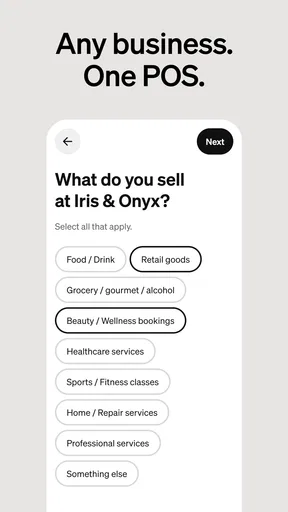
Kicking things off, the app guides you through a simple setup process. You create an account, input your business details, and voilà, you're ready to start accepting payments. One thing I really appreciated was the straightforwardness of it all. No hidden steps or confusing jargon. Just plain and simple instructions that anyone could follow.
Once inside, the dashboard is where all the magic happens. It’s got everything you need right at your fingertips. I could easily track sales, manage inventory, and even look at customer insights. It’s like having a mini business assistant in your pocket.
Features That Stand Out
Okay, let’s talk features because this is where Square Point of Sale really shines. First off, the payment processing is top-notch. You can accept all major credit and debit cards, and even mobile payments like Apple Pay and Google Pay. The transactions are super quick, and I noticed that the fees are quite competitive too.
Another standout feature is the inventory management. You can input all your products, track stock levels, and get alerts when you're running low. It’s perfect for small businesses that need to keep a tight grip on their inventory without splurging on expensive software.
"With Square Point of Sale, managing my shop feels like a breeze. It’s like having a reliable partner by my side."
Customer Engagement
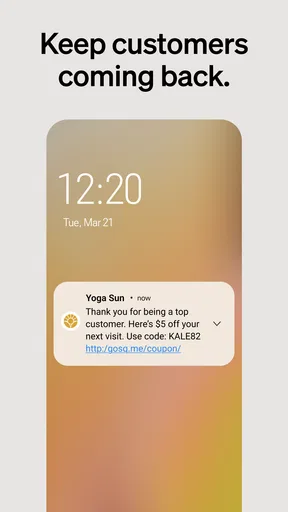
One of the things I loved most is how the app helps you connect with your customers. It allows you to create customer profiles, which means you can personalize experiences and build loyalty. Plus, the app supports digital receipts, so you can help save the trees while keeping your customers happy.
There’s also a handy feedback feature. After each transaction, customers can rate their experience and leave comments. It’s a simple way to gather insights and make improvements where needed.
Security and Support
Now, let’s talk security because I know that’s a biggie for everyone. The app uses encryption to keep data safe, and you can set up user permissions to control who has access to what. It really gives you peace of mind knowing that your business and customer data are protected.
If you ever run into issues, Square offers a comprehensive support system. Whether you prefer chatting online, reading through their exhaustive FAQs, or speaking to someone on the phone, they’ve got you covered. I found their support team responsive and super helpful.
Final Thoughts
All in all, the Square Point of Sale: Payment app is a fantastic tool for anyone looking to streamline their business operations. From its user-friendly interface to its robust feature set, it’s clear that Square has thought of everything to make running a business easier.
If you’re in the market for a reliable POS system that won’t break the bank, I’d say give this app a whirl. It might just be the game-changer you’ve been looking for.
Pros
- Intuitive user interface for easy navigation.
- Supports multiple payment methods.
- Real-time sales analytics and reports.
- Customizable inventory and item management.
- Offline mode for uninterrupted transactions.
Cons
- Limited customer support hours.
- Certain features require additional fees.
- Occasional sync issues with some devices.
- Not all features available on Android.
- Initial setup can be time-consuming.
FAQs for Square Point of Sale: Payment
What features does Square Point of Sale offer for business owners?
Square Point of Sale provides a comprehensive set of features tailored for business owners, including easy integration for payment processing, inventory management, sales reports, and customer engagement tools. Its user-friendly interface allows businesses of any size to manage and streamline operations efficiently, making it ideal for both small and large enterprises.
Is Square Point of Sale compatible with all mobile devices?
Square Point of Sale is compatible with most Android and iOS devices. However, it's important to check the app's compatibility with your specific device model and operating system version. Make sure your device meets the minimum requirements to ensure smooth operation and access to all features.
Are there any fees associated with using Square Point of Sale?
While downloading and using the basic features of Square Point of Sale is free, there are transaction fees applied to payments processed through the app. These fees vary based on the type of transaction, such as swiped, dipped, or keyed-in payments. It’s advisable to review the fee structure on their official website to understand potential costs.
How secure is the payment processing with Square Point of Sale?
Square Point of Sale prioritizes security with end-to-end encryption for all transactions. It adheres to PCI compliance standards to protect customer data and prevent fraud. Additionally, the app offers features like employee permissions and passcode protection to ensure your business information remains secure.
Can Square Point of Sale be used offline?
Yes, Square Point of Sale can be used in offline mode, allowing you to continue processing transactions even without an internet connection. Transactions are securely stored and processed once connectivity is restored. This feature is particularly useful for businesses operating in areas with unreliable internet access.


